Stable Diffusion Finetuning
Custom model training for specialized image generation
We present a couple examples of finetuning the text-to-image stable-diffusion model to learn new styles (e: "Naruto", "Avatar"). Note that a similar methodology can be applied to learn the representation of a new object or identity to the base model.
Stable diffusion finetuning
Training data
The first step is to collect hundreds of data samples for the style to learn. The original images were obtained from narutopedia.com and captioned with the pre-trained BLIP model.
For each row the dataset contains image and text keys. image is a varying size PIL jpeg, and text is the accompanying text caption.
With the recent progresses of multimodal LLMs, I would probably use that instead for building labelled datasets from raw images.
The Naruto dataset can be found on HuggingFace with 1.22k images for reference.
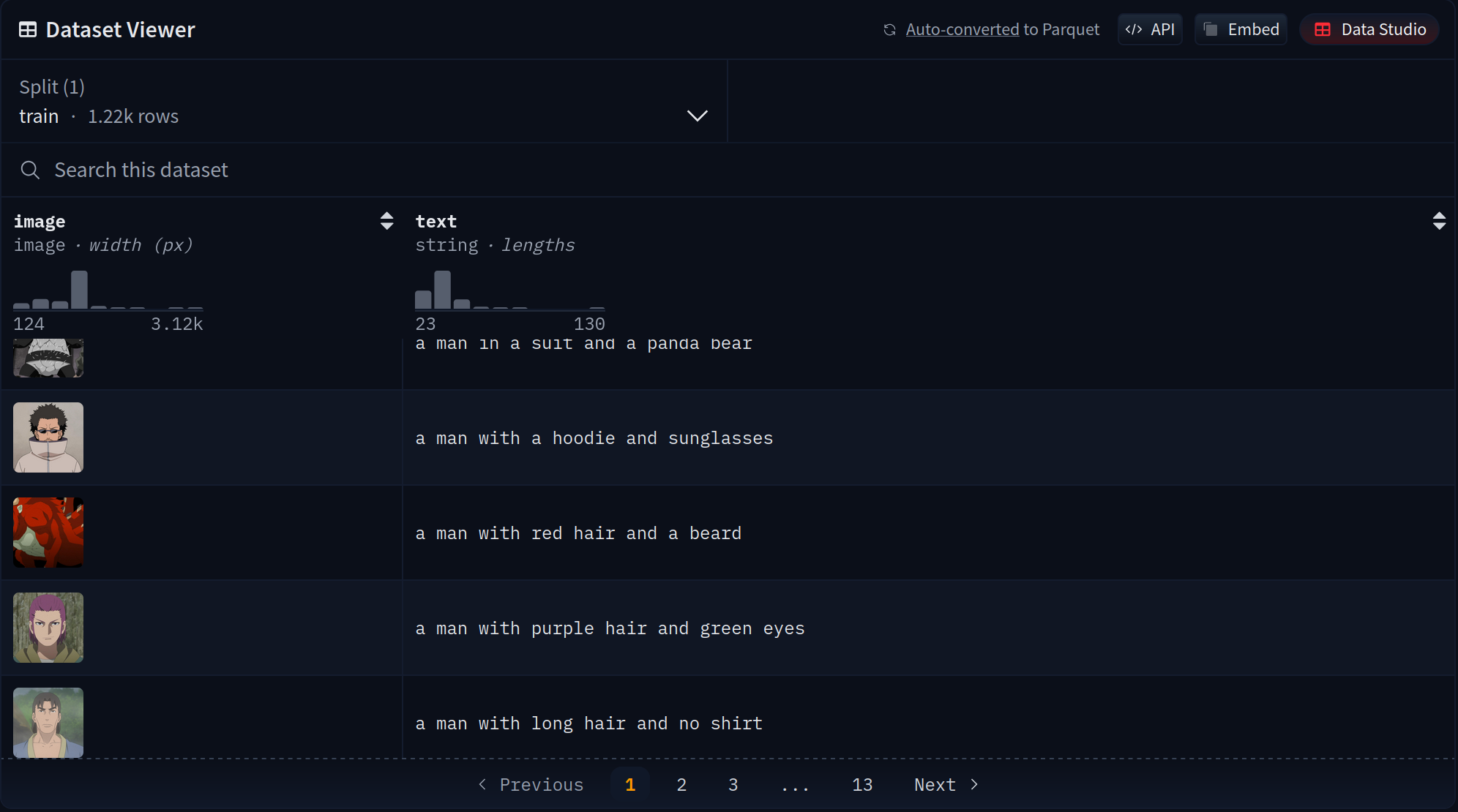
Training Setup
For the Naruto-style model, we used the following configuration:
- Infrastructure: 2x A6000 GPUs on Lambda GPU Cloud
- Training Duration: Approximately 12 hours (~30,000 training steps)
- Cost: Approximately $20
- Dataset Size: 1.22k BLIP-captioned Naruto images
- Base Model: Built upon Justin Pinkney's Pokemon Stable Diffusion model
Prompt Engineering
One key finding from this project is that prompt engineering significantly helps produce compelling and consistent Naruto-style portraits. Effective prompts include phrasing like:
"[subject] ninja portrait""[subject] in the style of Naruto"
These prompt patterns generate more authentic character results with characteristic headbands and costumes that are iconic to the Naruto aesthetic.

Game of Thrones characters transformed to Naruto style
The difference between basic prompts and optimized prompts is significant. For example:


Left: "Bill Gates" (basic prompt) | Right: "Bill Gates ninja portrait" (optimized prompt)
Usage
The model can be loaded using the Hugging Face diffusers library:
from diffusers import StableDiffusionPipeline
import torch

model_id = "lambdalabs/sd-naruto-diffusers"
pipe = StableDiffusionPipeline.from_pretrained(model_id, torch_dtype=torch.float16)
pipe = pipe.to("cuda")

prompt = "Yoda ninja portrait"
image = pipe(prompt).images[0]
The Naruto-style model is available on HuggingFace and has been used by the community in over 95 demonstration spaces.
Stable diffusion finetuning with dreambooth
The second method uses dreambooth, a finetuning implementation of stable diffusion developed by Google.
DreamBooth is a technique that allows you to fine-tune text-to-image models with just a small set of images (as few as 3-5 images) to teach the model a new concept, style, or specific object/person. Unlike the previous approach which required hundreds of training samples, DreamBooth achieves impressive results with minimal data.
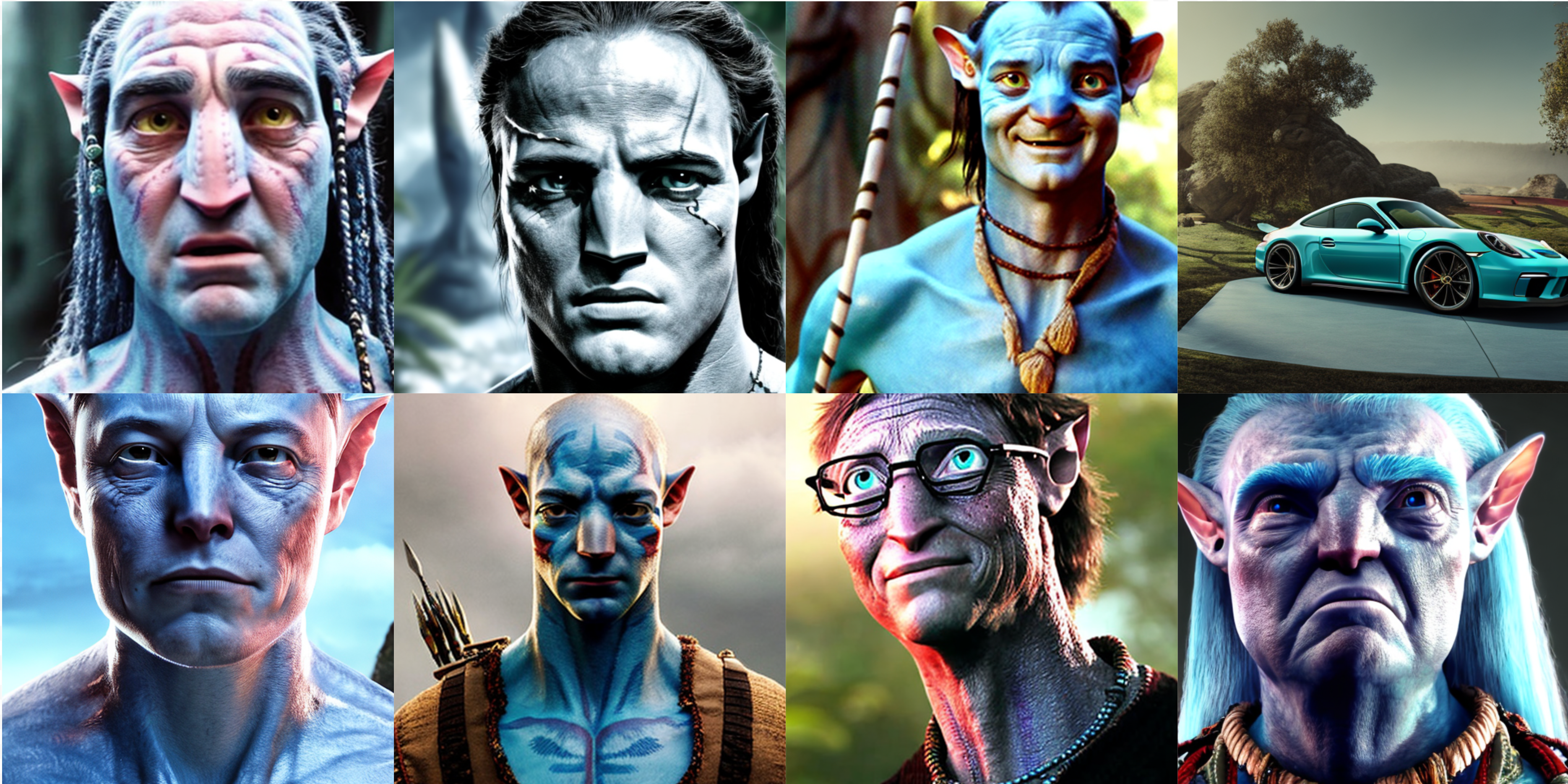
Examples of Avatar-style images generated using DreamBooth fine-tuning
Training Setup
For the Avatar-style model, we used the following configuration:
- Base Model: Stable Diffusion v1.5
- Training Data: 60 input images (512x512 pixels) of Avatar characters
- Training Method: DreamBooth fine-tuning with prior preservation
- Class Token: "avatarart style" - a unique identifier used in prompts
- Prior Preservation Class: "Person" - prevents the model from forgetting how to generate regular people
- Hardware: 2x A6000 GPUs on Lambda GPU Cloud
- Training Duration: 700 steps with batch size 4 (approximately 2 hours)
- Estimated Cost: ~$4
Key Concept: Prior Preservation
One of the innovations of DreamBooth is "prior preservation loss". This technique prevents the model from overfitting to the small training dataset and forgetting its original capabilities. By training on both the new concept (Avatar style) and examples of the broader class (Person), the model maintains its general knowledge while learning the specific style.
Usage
To generate images with the fine-tuned model, use prompts that incorporate the style token:
"Yoda, avatarart style"
The model can be loaded using the Hugging Face diffusers library:
from diffusers import StableDiffusionPipeline
import torch

model_id = "lambdalabs/dreambooth-avatar"
pipe = StableDiffusionPipeline.from_pretrained(model_id, torch_dtype=torch.float16)
pipe = pipe.to("cuda")

prompt = "Yoda, avatarart style"
image = pipe(prompt, guidance_scale=7.5).images[0]
The Avatar-style model is available on HuggingFace and has been used by the community in over 10 demonstration spaces.